
Appearance
Hono 技术栈
🌐 Hono Stacks
Hono 让简单的事情更简单,让困难的事情也变得容易。 它不仅适合用于返回 JSON,还非常适合构建包括 REST API 服务器和客户端在内的全栈应用。
🌐 Hono makes easy things easy and hard things easy. It is suitable for not just only returning JSON, but it's also great for building the full-stack application including REST API servers and the client.
远程过程调用
🌐 RPC
Hono 的 RPC 功能允许你在几乎不修改代码的情况下共享 API 规范。由 hc 生成的客户端将读取规范并以类型安全的方式访问端点。
🌐 Hono's RPC feature allows you to share API specs with little change to your code. The client generated by hc will read the spec and access the endpoint type-safety.
以下库使之成为可能。
🌐 The following libraries make it possible.
- Hono - API 服务器
- Zod - 验证器
- Zod 验证器中间件
hc- HTTP 客户端
我们可以将这些组件的集合称为 Hono 堆栈。 现在让我们使用它创建一个 API 服务器和一个客户端。
🌐 We can call the set of these components the Hono Stack. Now let's create an API server and a client with it.
编写 API
🌐 Writing API
首先,编写一个接收 GET 请求并返回 JSON 的端点。
🌐 First, write an endpoint that receives a GET request and returns JSON.
ts
import { Hono } from 'hono'

const app = new Hono()

app.get('/hello', (c) => {
  return c.json({
    message: `Hello!`,
  })
})
使用 Zod 进行验证
🌐 Validation with Zod
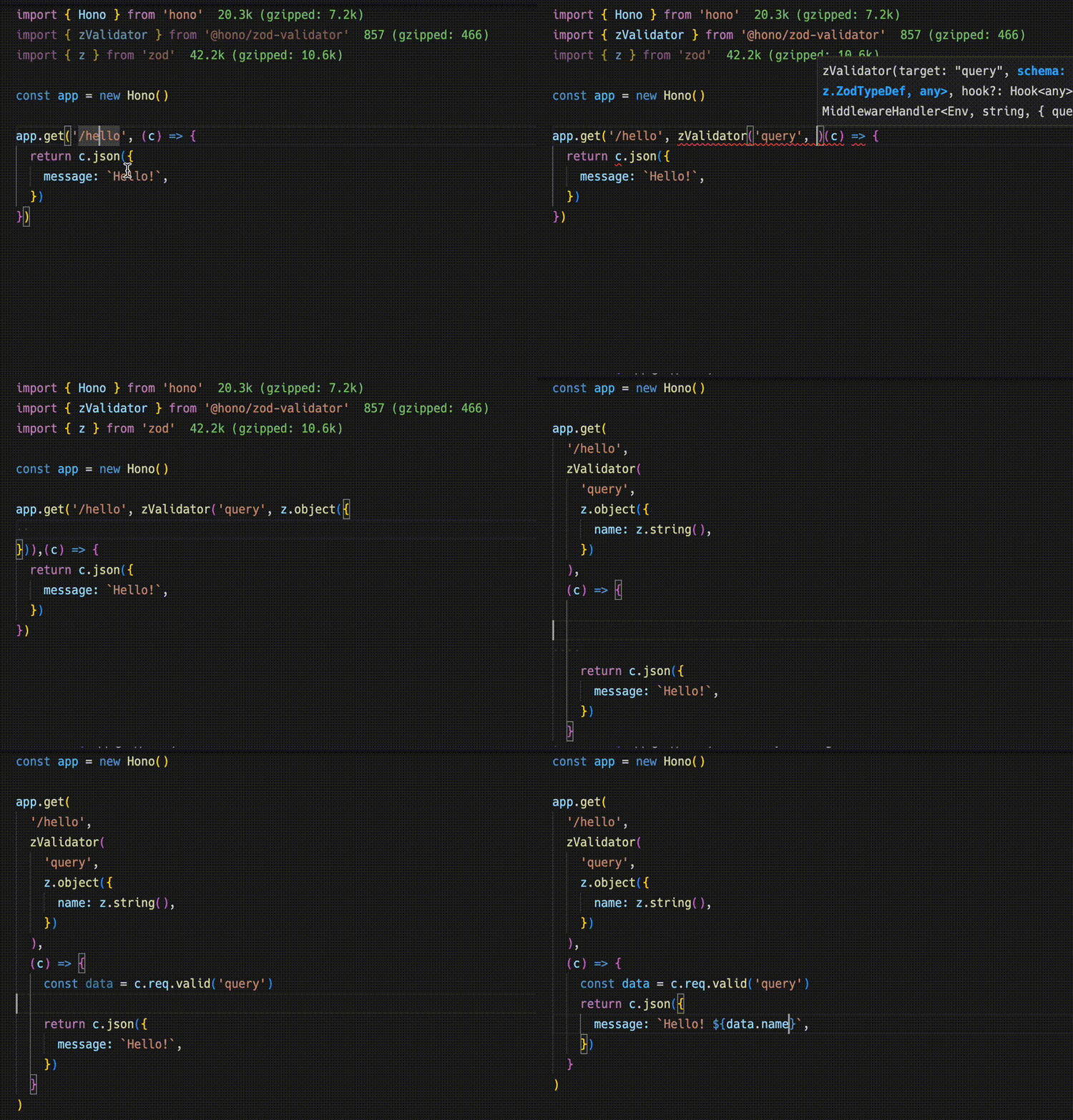
使用 Zod 验证以接收查询参数的值。
🌐 Validate with Zod to receive the value of the query parameter.
ts
import { zValidator } from '@hono/zod-validator'
import * as z from 'zod'

app.get(
  '/hello',
  zValidator(
    'query',
    z.object({
      name: z.string(),
    })
  ),
  (c) => {
    const { name } = c.req.valid('query')
    return c.json({
      message: `Hello! ${name}`,
    })
  }
)
共享类型
🌐 Sharing the Types
要发出端点规范,请导出其类型。
🌐 To emit an endpoint specification, export its type.
WARNING
为了让RPC正确推断路由,所有包含的方法必须是链式的,并且端点或应用类型必须从已声明的变量中推断。更多信息,请参见RPC最佳实践。
🌐 For the RPC to infer routes correctly, all included methods must be chained, and the endpoint or app type must be inferred from a declared variable. For more, see Best Practices for RPC.
ts
const route = app.get(
  '/hello',
  zValidator(
    'query',
    z.object({
      name: z.string(),
    })
  ),
  (c) => {
    const { name } = c.req.valid('query')
    return c.json({
      message: `Hello! ${name}`,
    })
  }
)

export type AppType = typeof route
客户端
🌐 Client
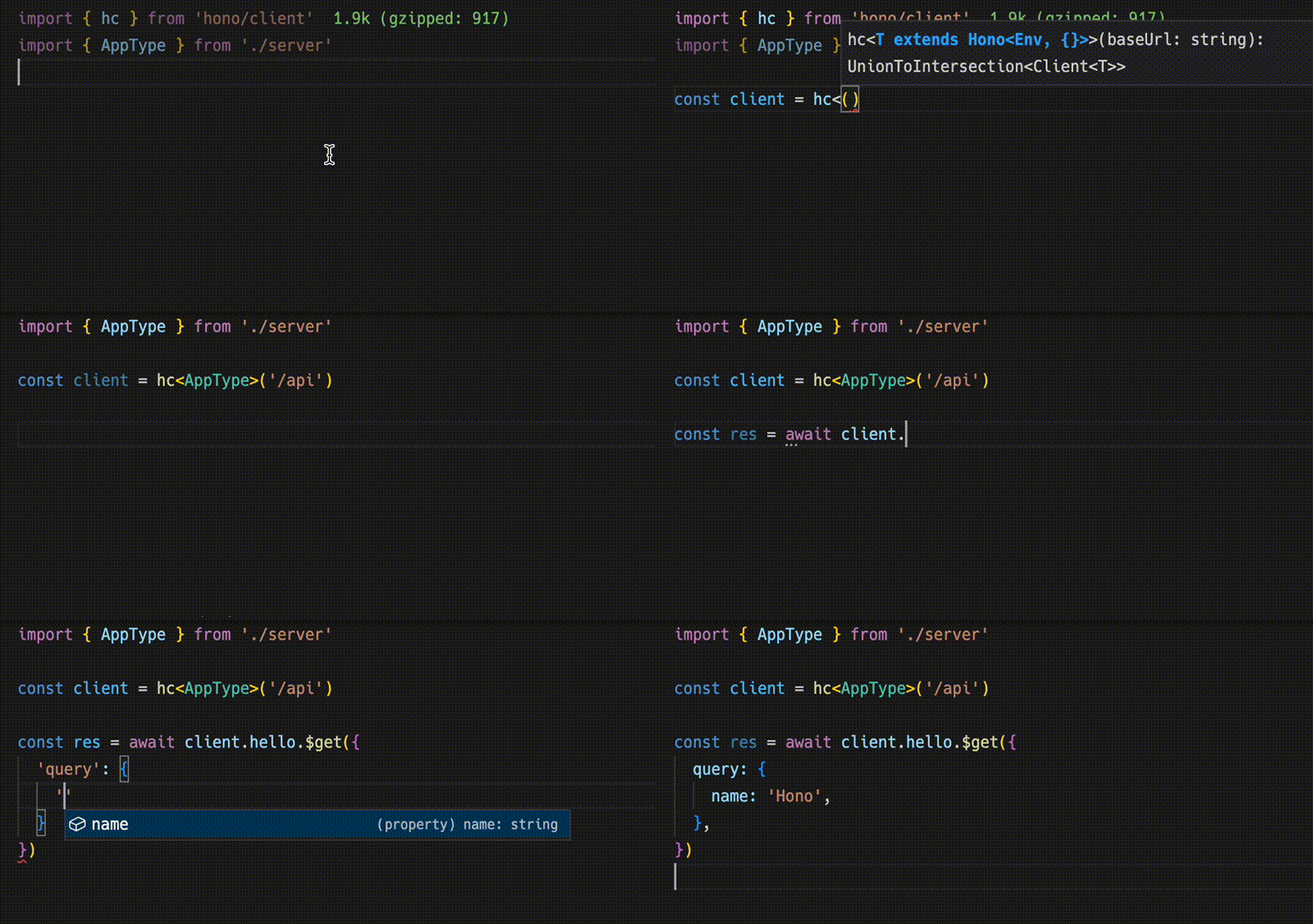
接下来,客户端实现。 通过将 AppType 类型作为泛型传递给 hc 来创建一个客户端对象。 然后,神奇地,完成可以工作,并且会建议端点路径和请求类型。
🌐 Next, The client-side implementation. Create a client object by passing the AppType type to hc as generics. Then, magically, completion works and the endpoint path and request type are suggested.
ts
import type { AppType } from './server'
import { hc } from 'hono/client'

const client = hc<AppType>('/api')
const res = await client.hello.$get({
  query: {
    name: 'Hono',
  },
})
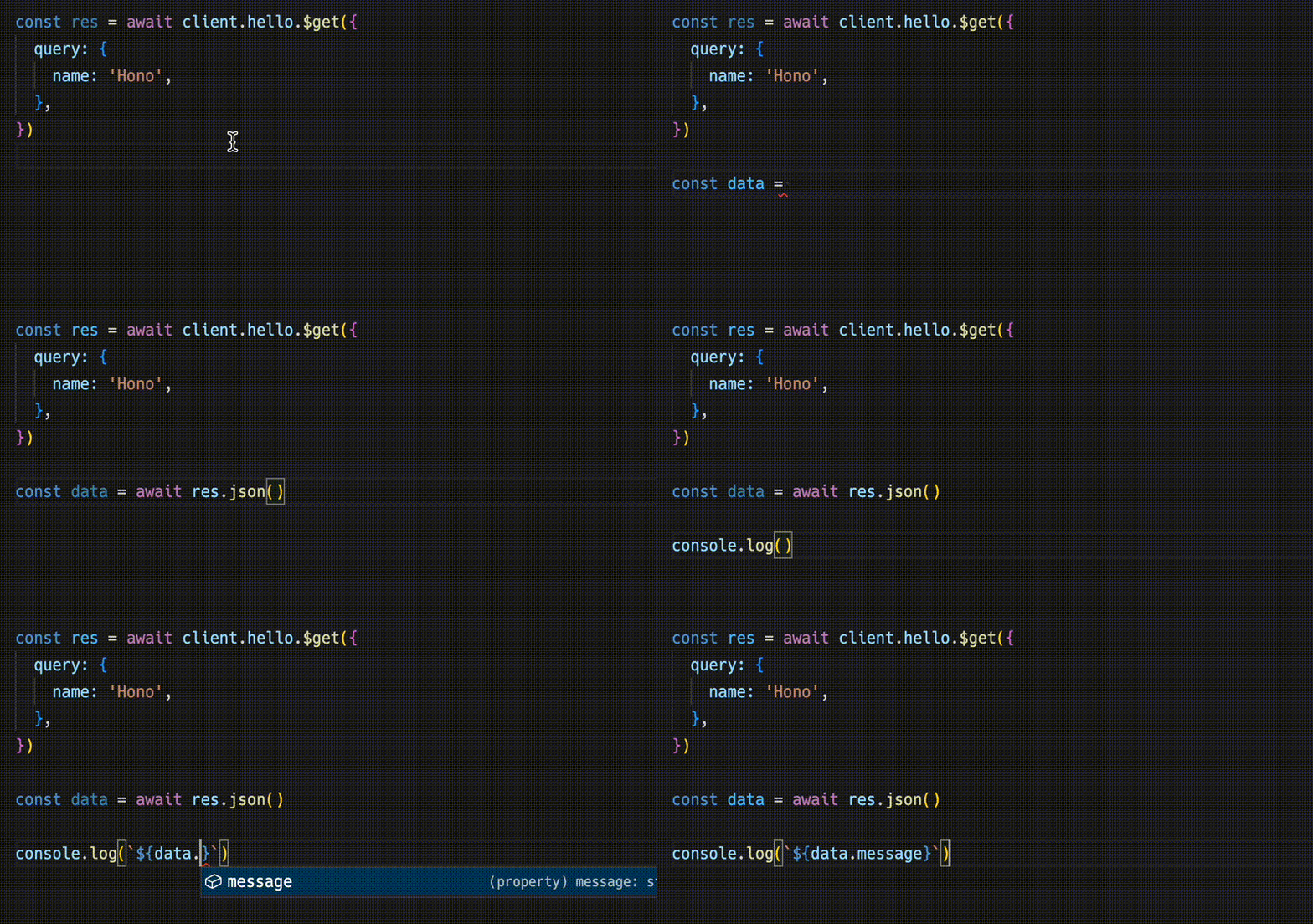
Response 与 fetch API 兼容,但使用 json() 可以检索的数据有一个类型。
🌐 The Response is compatible with the fetch API, but the data that can be retrieved with json() has a type.
ts
const data = await res.json()
console.log(`${data.message}`)
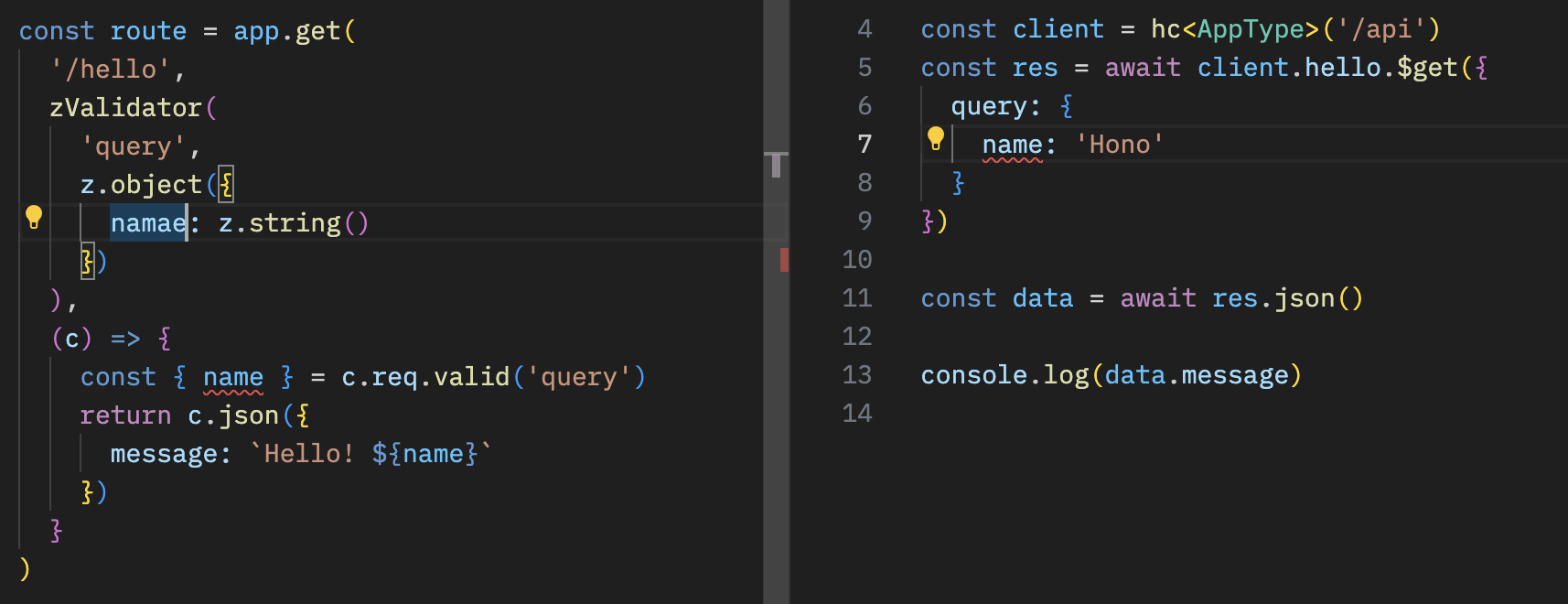
共享 API 规范意味着你可以了解服务器端的变化。
🌐 Sharing API specifications means that you can be aware of server-side changes.
使用 React
🌐 With React
你可以使用 React 在 Cloudflare Workers 上创建应用。
🌐 You can create applications on Cloudflare Workers using React.
API 服务器。
🌐 The API server.
ts
// src/index.ts
import { Hono } from 'hono'
import * as z from 'zod'
import { zValidator } from '@hono/zod-validator'

const schema = z.object({
  id: z.string(),
  title: z.string(),
})

type Todo = z.infer<typeof schema>

const todos: Todo[] = []

const api = new Hono()
  .post('/todo', zValidator('form', schema), (c) => {
    const todo = c.req.valid('form')
    todos.push(todo)
    return c.json({
      message: 'created!',
    })
  })
  .get('/todo', (c) => {
    return c.json({
      todos,
    })
  })

export type AppType = typeof api

const app = new Hono()
app.route('/api', api)

export default app
带有 React 和 React Query 的客户端。
🌐 The client with React and React Query.
tsx
// src/App.tsx
import {
  useQuery,
  useMutation,
  QueryClient,
  QueryClientProvider,
} from '@tanstack/react-query'
import type { AppType } from '../functions/api/[[route]]'
import { hc, InferResponseType, InferRequestType } from 'hono/client'

const queryClient = new QueryClient()
const client = hc<AppType>('/api')

export default function App() {
  return (
    <QueryClientProvider client={queryClient}>
      <Todos />
    </QueryClientProvider>
  )
}

const Todos = () => {
  const query = useQuery({
    queryKey: ['todos'],
    queryFn: async () => {
      const res = await client.todo.$get()
      return await res.json()
    },
  })

  const $post = client.todo.$post

  const mutation = useMutation<
    InferResponseType<typeof $post>,
    Error,
    InferRequestType<typeof $post>['form']
  >({
    mutationFn: async (todo) => {
      const res = await $post({
        form: todo,
      })
      return await res.json()
    },
    onSuccess: async () => {
      queryClient.invalidateQueries({ queryKey: ['todos'] })
    },
    onError: (error) => {
      console.log(error)
    },
  })

  return (
    <div>
      <button
        onClick={() => {
          mutation.mutate({
            id: Date.now().toString(),
            title: 'Write code',
          })
        }}
      >
        Add Todo
      </button>

      <ul>
        {query.data?.todos.map((todo) => (
          <li key={todo.id}>{todo.title}</li>
        ))}
      </ul>
    </div>
  )
}